
For restaurant owners, chefs and operators
Your restaurant runs on data. Make it work for you.
MISE EN AI connects to Square, your invoices and your books, and turns sales, food cost, inventory, labor and financial data into clear answers.
No account needed: a demo restaurant with 90 days of simulated sales. Demos are deleted automatically, so don’t enter real data. By starting one you agree to the Terms.
Everything in its place. Even the numbers.
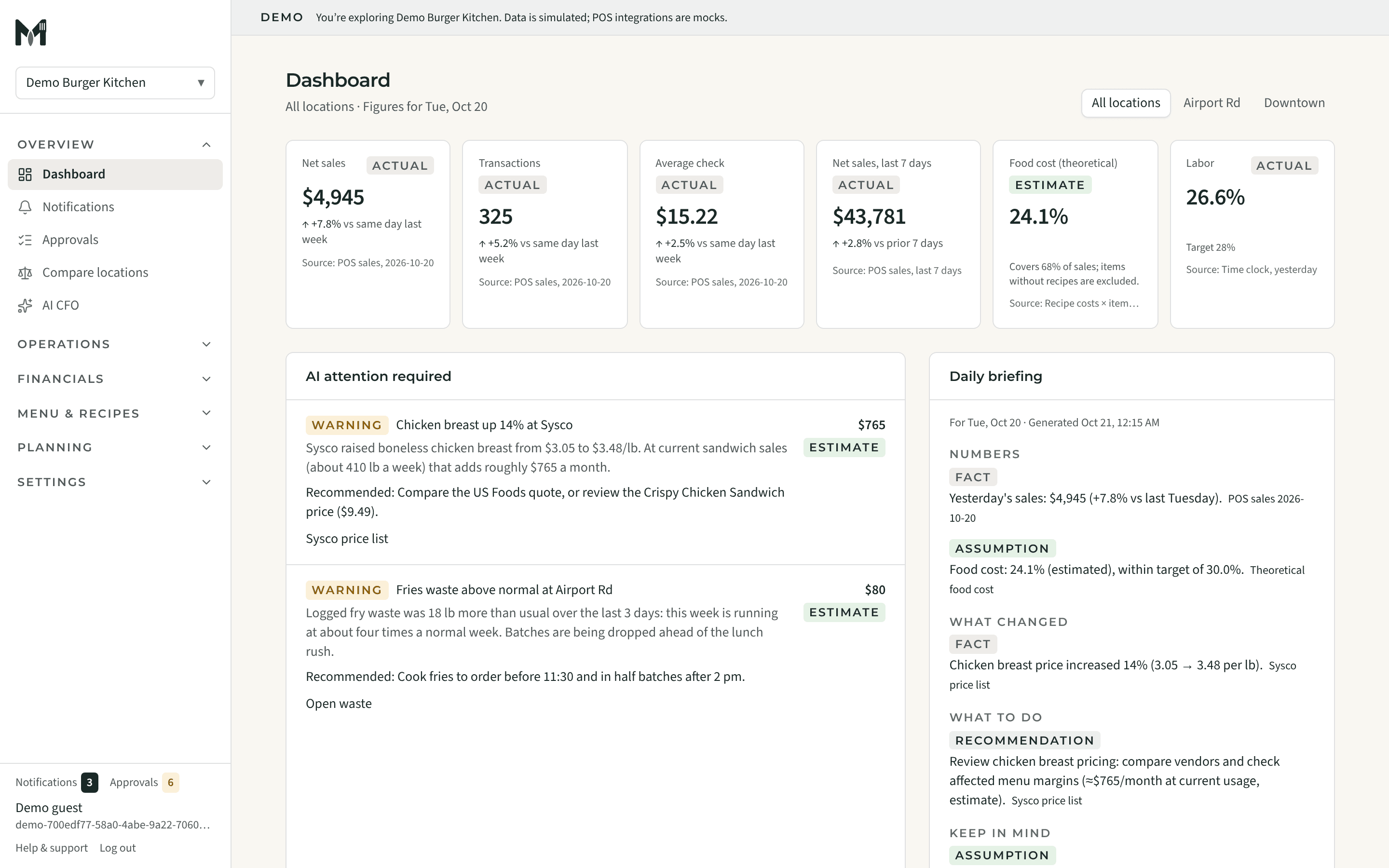
Running a restaurant is complicated. Understanding your numbers shouldn’t be.
Sales live in the point of sale, costs on paper invoices, labor in the time clock and the books with your accountant. By the time the month closes, the moment to act has passed.
Food costs move without warning
A supplier changes a price on Tuesday’s invoice, and nobody notices until the P&L.
Margins are hard to read
Is food cost up because of prices, portions, waste or a recipe nobody costed? Finding out takes digging.
Waste hides in the counts
The gap between what you bought, what you sold and what’s on the shelf doesn’t show up on its own.
Reports eat your evenings
Putting sales, labor and costs into one view means exports, spreadsheets and late nights.
Labor drifts away from sales
A heavy afternoon schedule or a short lunch shows up in payroll, not while you can still fix it.
Every location is different
Comparing two locations fairly takes more than putting their sales side by side.
MISE EN AI brings it into one place, so you spend less time looking for answers and more time running your restaurant.
How it works
One view of your restaurant.
It connects to the systems you already use instead of replacing them. Status labels say exactly what works today.
1 · Connect
What you already use
- Square point of saleBeta
- Invoices, uploaded or photographedAvailable
- Bank statementsAvailable
- Live bank feeds (Plaid)Beta
- QuickBooks Online or XeroBeta
2 · Calculate
Numbers from code, not guesses
Every figure, from food cost to prime cost, is calculated by code and traced back to where it came from. The AI reads, explains, forecasts and suggests. It never does the arithmetic.
3 · Decide
Answers, and you decide
- Alerts with the dollars at stake
- A daily briefing before service
- Answers to your questions, with sources
- Forecasts with their ranges
- Proposed actions that wait for your approval
AI CFO
Ask about your numbers in plain language.
Ask why food cost moved, which menu items to look at first or how labor compares between locations. The AI CFO reads your sales, P&L, labor, inventory, waste and vendor prices, and answers from them.
- Facts, estimates, assumptions and recommendations are labeled, each with its source.
- A figure it can’t match to your data is flagged for you to check.
- Actions it proposes wait for someone to approve them.
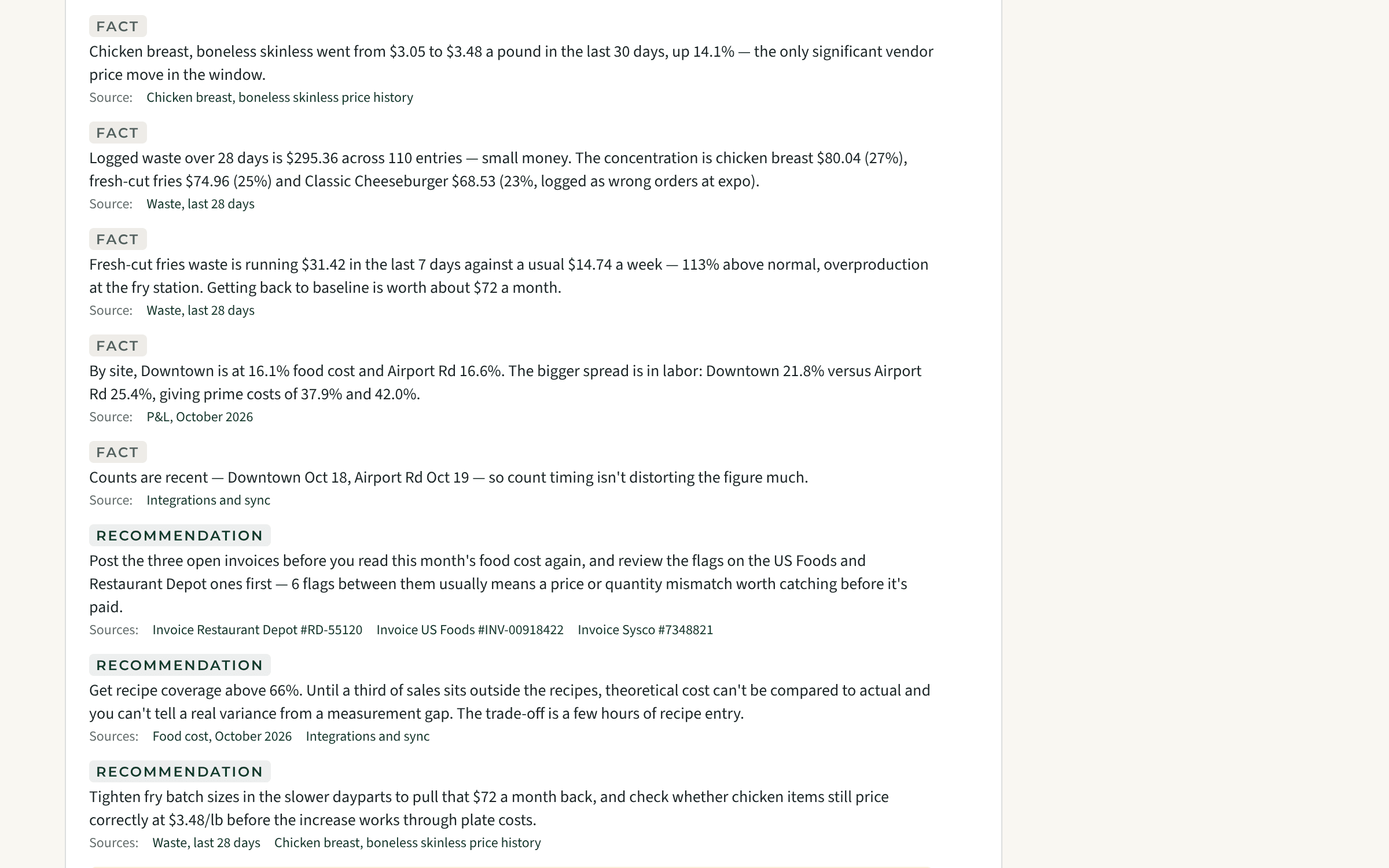
Food cost
Know what every dish really costs.
Recipes are costed line by line from current ingredient prices, with yields, sub-recipes and packaging, and re-costed every night. Menu engineering shows which items earn their place.
- Actual food cost from your counts and purchases, next to what recipes say it should be.
- Menu engineering by popularity and profit per sale.
- Price suggestions, and what a price change would do before you make it.
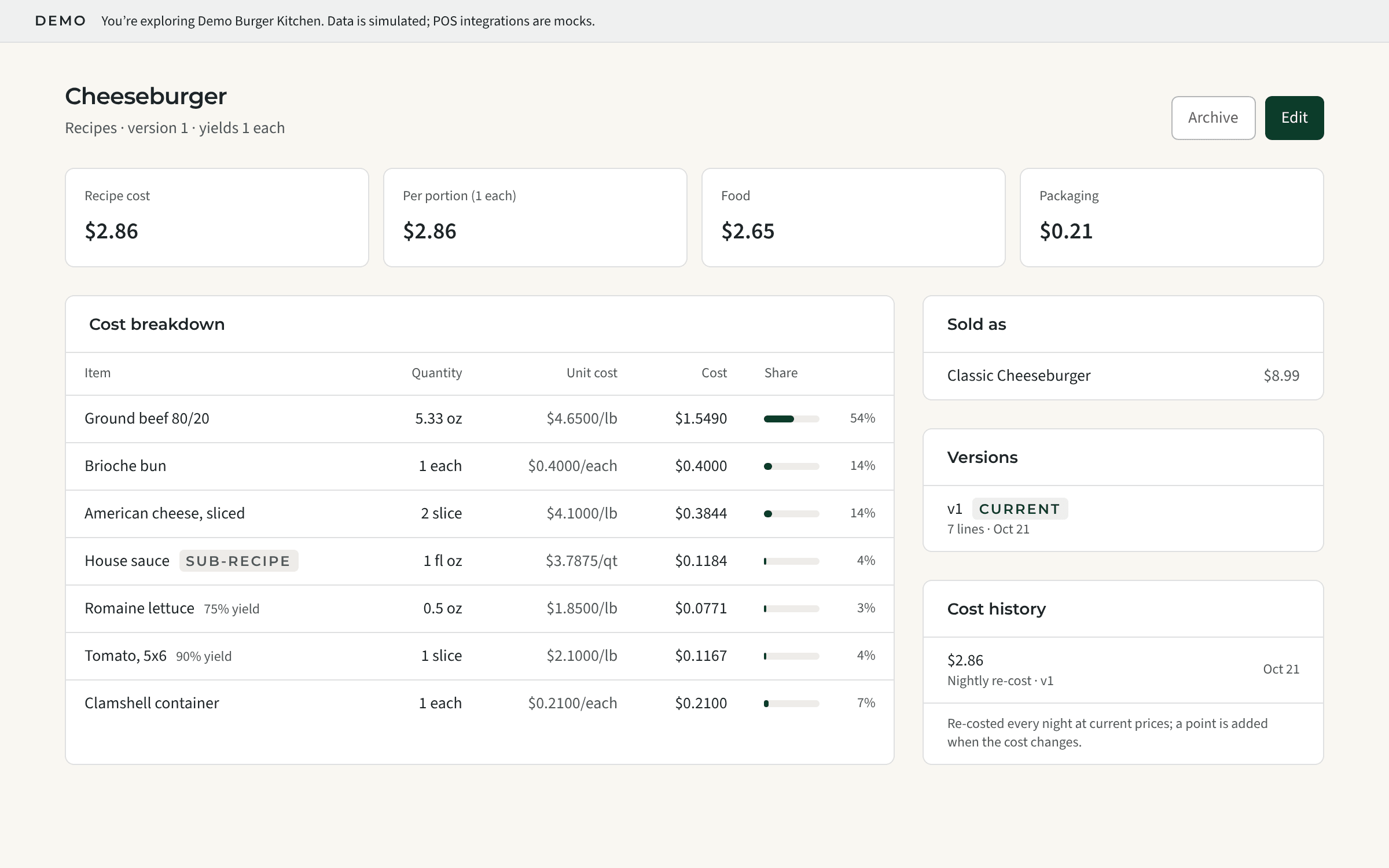
Invoices
Turn invoices into prices you can use.
Upload or photograph an invoice. It’s read for you, each value highlighted on the original, and checked against duplicates and your vendors’ products. Nothing changes your costs until a person reviews and posts it.
- Ingredient prices update from posted invoices, with a history for each one.
- Lines that don’t add up, or don’t match a product, are flagged for review.
- Deliveries, vendor credits and statement checks in the same place.
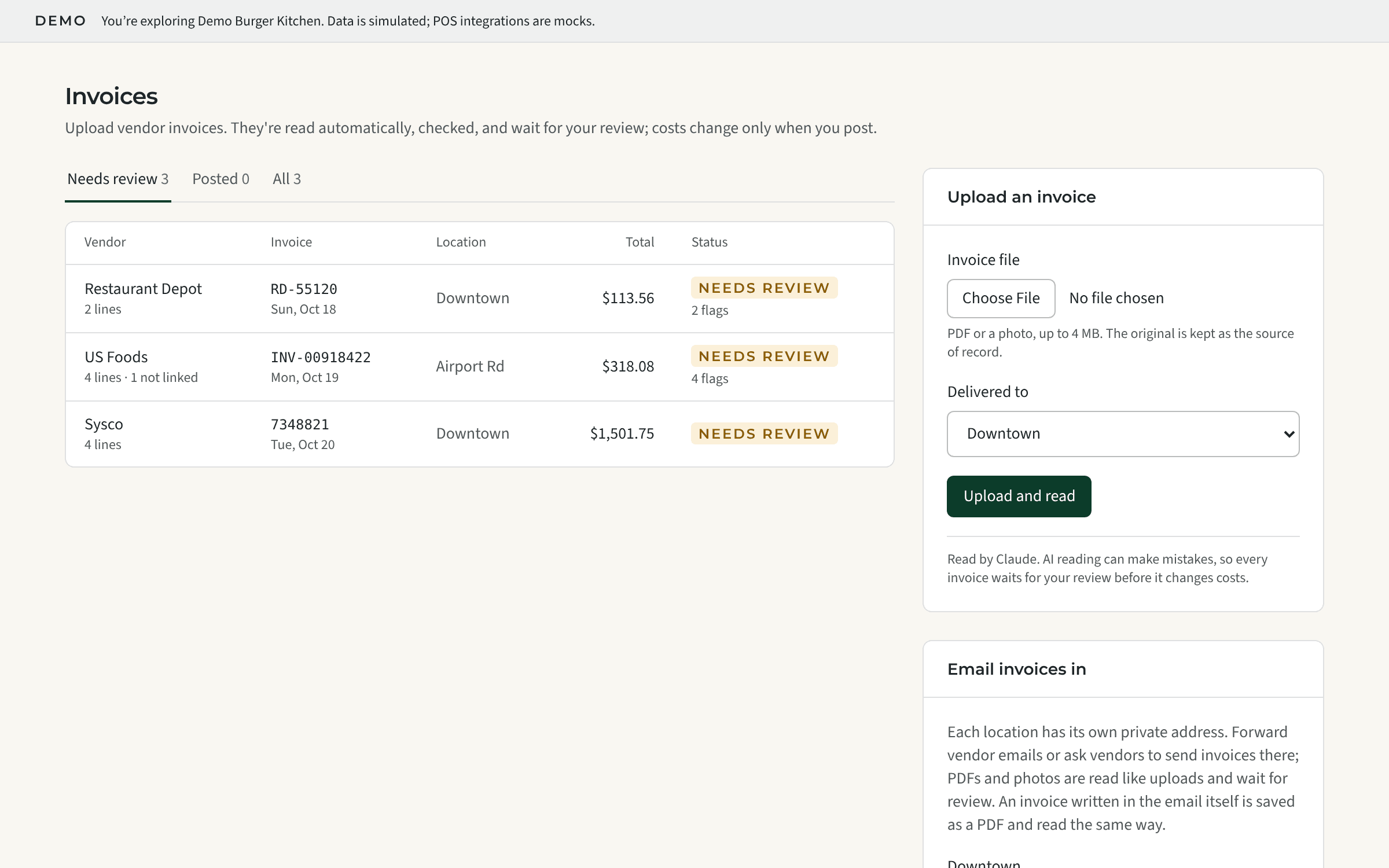
Inventory
Better counts, less guesswork.
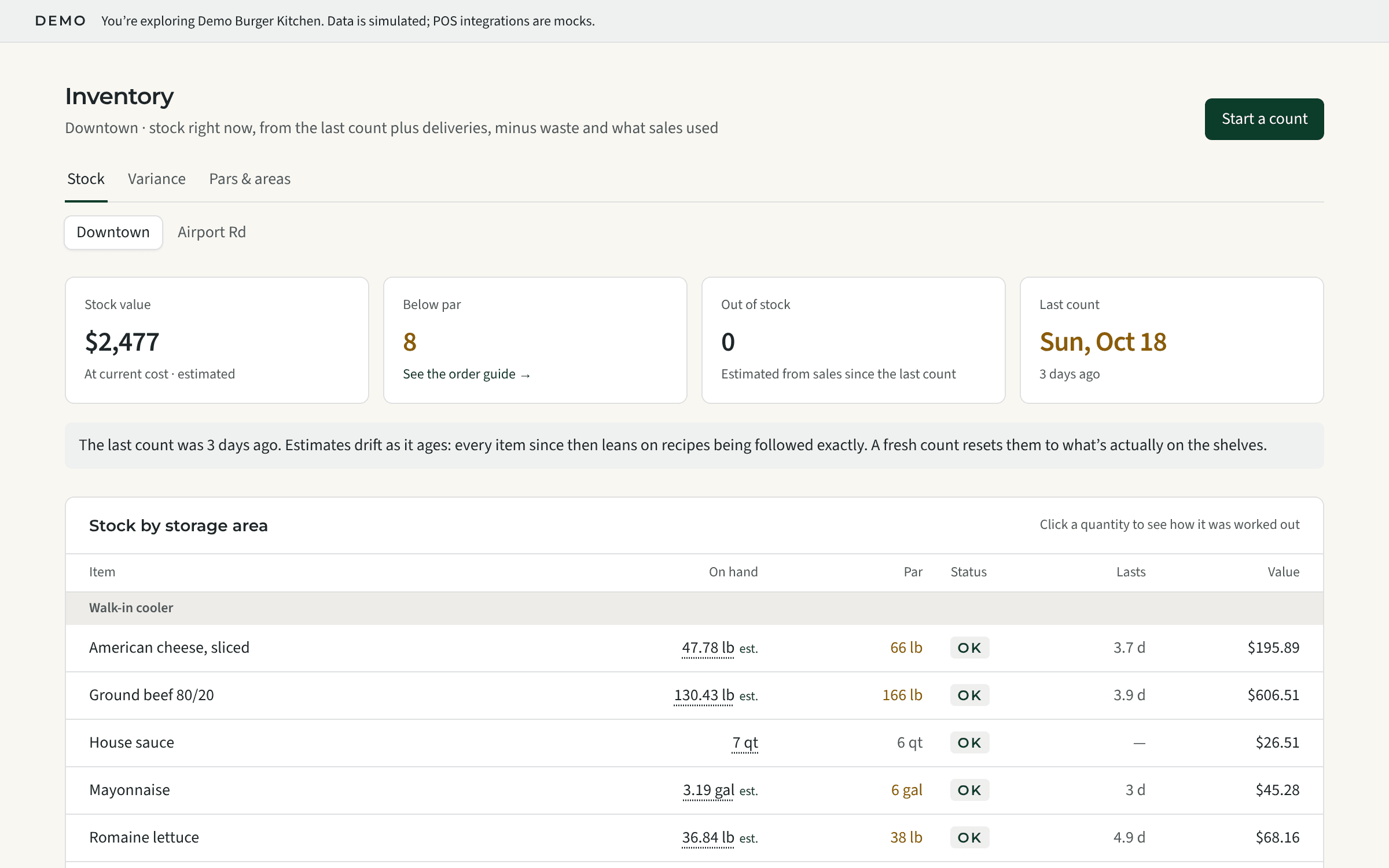
Count by storage area on a phone, with barcode scanning. Between counts, stock is estimated from deliveries, waste and sales, and you see what’s running below par.
- Variance between what you used and what recipes say you should have.
- Waste logged by voice or form, with the reasons that cost the most.
- Counts that need approval before they change anything.
And the rest of the back office.
Purchasing
An order guide that suggests what to order from each vendor to get back to par, purchase orders, receiving and three-way match.
Labor
Labor cost against sales by day, daypart, role and person, from Square timecards.
Books
A P&L to operating profit, prime cost, bank and payout reconciliation, and journal entries for your accountant.
Forecasts
Sales, orders and labor hours for the next two weeks, each with its range and what it assumes.
Pilot
We’re starting with a small group of restaurants.
If you’d like to be one of them, tell us about your restaurant and the systems you use. We’ll get back to you about whether it’s a fit and what it would involve.
Two minutes in the demo will tell you more than this page.
Or book a guided walkthrough, and bring your questions.